Your brand. Their memories.

Photobooth hot folder: prepare an automatic upload workflow

A hot folder connects the directory where a photobooth exports completed images to an upload process. It can reduce repeated manual imports, provided the export and network steps are prepared correctly.

Galafolio includes a Node.js hot-folder script for operators comfortable running a command-line tool. It sends files to the event API; it does not control the booth's camera, printer or capture software.

For your client: their gallery
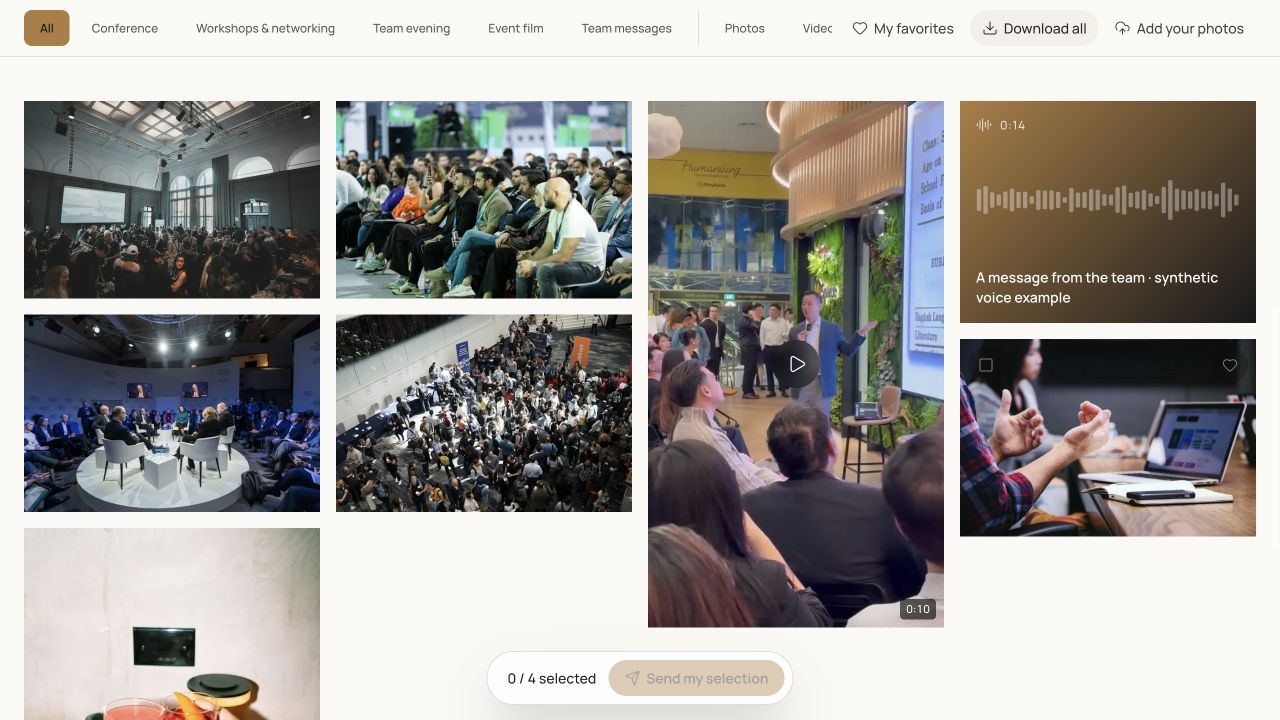
Actual Galafolio client gallery screenshot: albums, favourites, downloads and demo audio messages.Enlarge

Real product screenshot. Fictional event and demonstration media.

01

Prepare the destination before the machine

Create the event and the destination album, then obtain an API key with the appropriate organisation access. Keep the key in the operator's environment and never place it on a public QR code or a client-facing page. Confirm that the destination is the intended client event before a live service.

02

Watch finished exports

Point the script at the booth's final export directory rather than a folder of temporary processing files. The tool accepts a directory and event identifier, an optional album, a server URL and recursive watching when required. A local upload journal records completed files. Test with a small, recognisable batch and compare it with the gallery before leaving the watcher running.

03

Test recovery and publication separately

A working internet connection is required. Check the operator logs if an upload fails and verify the destination after a network interruption. Upload success and visitor visibility are different checks: confirm the event's publication settings and review the live wall separately when it is used. Keep the booth's local originals as a separate backup.

Put it into practice

A workflow to prepare.

  1. 01

    Prepare the event, album and authorised API access.

  2. 02

    Configure the export folder and test a small completed batch.

  3. 03

    Check logs, visitor visibility and recovery during an interruption.

The Galafolio journal

Methods for your next client handover.

All articles

Useful answers

Is a native booth-software plugin required?

The supplied tool is a standalone Node.js script watching exported files. Compatibility depends on your software writing finished files to the selected directory; test your setup.

Does it work without internet?

The transfer needs a network connection. Keep local captures and verify pending or failed files after reconnection rather than assuming they reached the gallery.

The next story

Prepare your first delivery.

Open my space

Starter includes 3 active events. No payment is collected in the current demonstration.

Explore further

Explore Galafolio.