Your brand. Their memories.

How to deliver audio guestbook recordings to clients

The event is over and the guestbook phone contains the messages. Before sending anything to the client, turn those source recordings into a reviewed delivery with a clear listening and download journey.

This guide covers the handover workflow for an audio guestbook provider. Galafolio handles the online gallery; device recovery, editing and sound checks happen in your preparation process.

For your client: their gallery
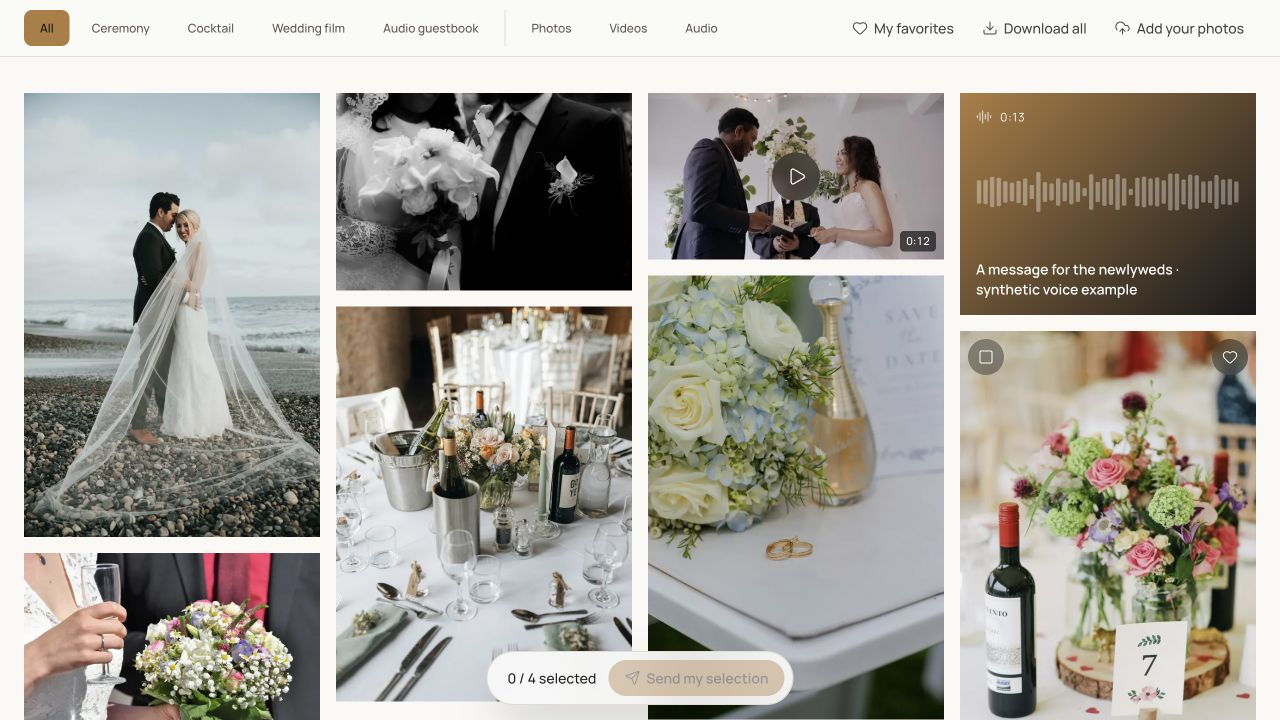
Actual Galafolio client gallery screenshot: albums, favourites, downloads and demo audio messages.Enlarge

Real product screenshot. Fictional event and demonstration media.

01

1. Recover and protect the sources

Retrieve files using the device manufacturer's procedure and keep an untouched backup. Work on copies when trimming or converting recordings. Count the recovered messages and note any missing or unusable files before promising a complete delivery to the client.

02

2. Listen, prepare and label

Listen to the beginning and end of every file, check intelligibility and remove unintended duplicates from the delivery set. Make any necessary edits with your audio tools and export files suitable for the intended browsers. Keep names clear and consistent; do not expose telephone numbers or other private details in labels.

03

3. Test the exact client experience

Import the prepared messages into a separate event and organise the audio album. Open the visitor link outside your studio session, listen on a phone and test an allowed download. Check the visible file count against your delivery set. Finish with a message explaining access, availability and how to keep a separate backup.

Put it into practice

A workflow to prepare.

  1. 01

    Preserve the recovered originals and prepare working copies.

  2. 02

    Review the final files, labels and event access settings.

  3. 03

    Send the tested gallery with clear preservation instructions.

The Galafolio journal

Methods for your next client handover.

All articles

Useful answers

Should I send only a ZIP file?

A file transfer can deliver originals, while a gallery makes individual messages easier to browse. Choose the handover that fits the agreement and explain how the client can preserve the files.

Will uploading repair a silent or noisy message?

No. Review and edit recordings before upload. The gallery is a delivery tool and does not promise automatic noise repair or speech transcription.

The next story

Prepare your first delivery.

Open my space

Starter includes 3 active events. No payment is collected in the current demonstration.

Explore further

Explore Galafolio.